A little slow at this

It does, but there is an updated index.html.gz; you can get it here. The one installed by the install script caused at least some of us some real trouble…check out the thread that post is in for details.

Or wait until the next iteration is released, maybe tomorrow, @bar?

Hmmm, may wait then…still need to play with z Axis, etc

Z axis works, X and Y not responding to the jog commands…but it looks pretty :grin:

Silly question, but…did you run calibration? I don’t think the Maslow can know where it is before an initial calibration, and if so, I don’t think it will let you jog x or y.

I never get that far. I click on retract I get a little movement, extract then a little movement, but when I hit calibrate it nothing…setup disappears from the work area and router just sits there.

Have you seen this?

1 Like

No I hadn’t seen this. Would have been nice to see it this morning…lol…well tomorrow is another day. Thanks for answering all my questions, made today much less frustrating than it could have been.

1 Like

The calibration experience has changed a little since this video was made, but the steps remain the same.

Let me highlight what the process is after you’ve completed a calibration.

Every time you are setting up for a cut:

  1. power up the Maslow 4
  2. Click Alarm
  3. Click Setup
  4. Click Retract all
  5. Click Extend all
  6. Connect the belts to their anchors
  7. Click Take up slack
  8. Click on Apply tension
  9. Proceed with the steps required to cut

This is still evolving—there is work to reduce the need to repeat all the steps every time we go—so it pays to peruse the forums and keep up with those conversations.

1 Like

Probably TMI for some, but should this read
5. Extend all and connect belts to their anchors…?

1 Like

You’re right! I’ll correct it!

Well i am back, thanks to you all for being here. I have repaired the router and sled from the crash. But after connecting it up to the laptop I do not see a wireless network. I have followed the instructions as to how to erase the firmware and reinstall it but get an error saying “fatal error no serial data received” I have green lights on the router/sled…but no maslow wifi to access.

Here is the print out of my attempt at erase.bat and full install…

  • ------ Erasing flash- *
    win64\esptool.exe --chip esp32s3 --baud 921600 erase_flash
    esptool.py v4.6
    Found 1 serial ports
    Serial port COM3
    Connecting…
    Chip is ESP32-S3 (revision v0.2)
    Features: WiFi, BLE
    Crystal is 40MHz
    MAC: 8c:bf:ea:73:aa:58
    Uploading stub…
    Running stub…
    Stub running…
    Changing baud rate to 921600

A fatal error occurred: No serial data received.

  • ------- Installing filesystem *
    win64\esptool.exe --chip esp32s3 --baud 921600 --before default_reset --after hard_reset write_flash -z --flash_mode dio --flash_freq 80m --flash_size detect 0x5F0000 wifi_s3\littlefs.bin
    esptool.py v4.6
    Found 1 serial ports
    Serial port COM3
    Connecting…
    Chip is ESP32-S3 (revision v0.2)
    Features: WiFi, BLE
    Crystal is 40MHz
    MAC: 8c:bf:ea:73:aa:58
    Uploading stub…
    Running stub…
    Stub running…
    Changing baud rate to 921600

A fatal error occurred: No serial data received.

  • ------- Installing firmware *
    win64\esptool.exe --chip esp32s3 --baud 921600 --before default_reset --after hard_reset write_flash -z --flash_mode dio --flash_freq 80m --flash_size detect 0x0000 wifi_s3\bootloader.bin 0xe000 common\boot_app0.bin 0x10000 wifi_s3\firmware.bin 0x8000 wifi_s3\partitions.bin
    esptool.py v4.6
    Found 1 serial ports
    Serial port COM3
    Connecting…
    Chip is ESP32-S3 (revision v0.2)
    Features: WiFi, BLE
    Crystal is 40MHz
    MAC: 8c:bf:ea:73:aa:58
    Uploading stub…
    Running stub…
    Stub running…
    Changing baud rate to 921600

A fatal error occurred: No serial data received.

  • ------- Done *
    Starting fluidterm

FluidNC v1.2.0 using COM3
Exit: Ctrl-C, Ctrl-Q or Ctrl-], Clear screen: CTRL-W
Upload: Ctrl-U, Reset ESP32: Ctrl-R, Send Override: Ctrl-O

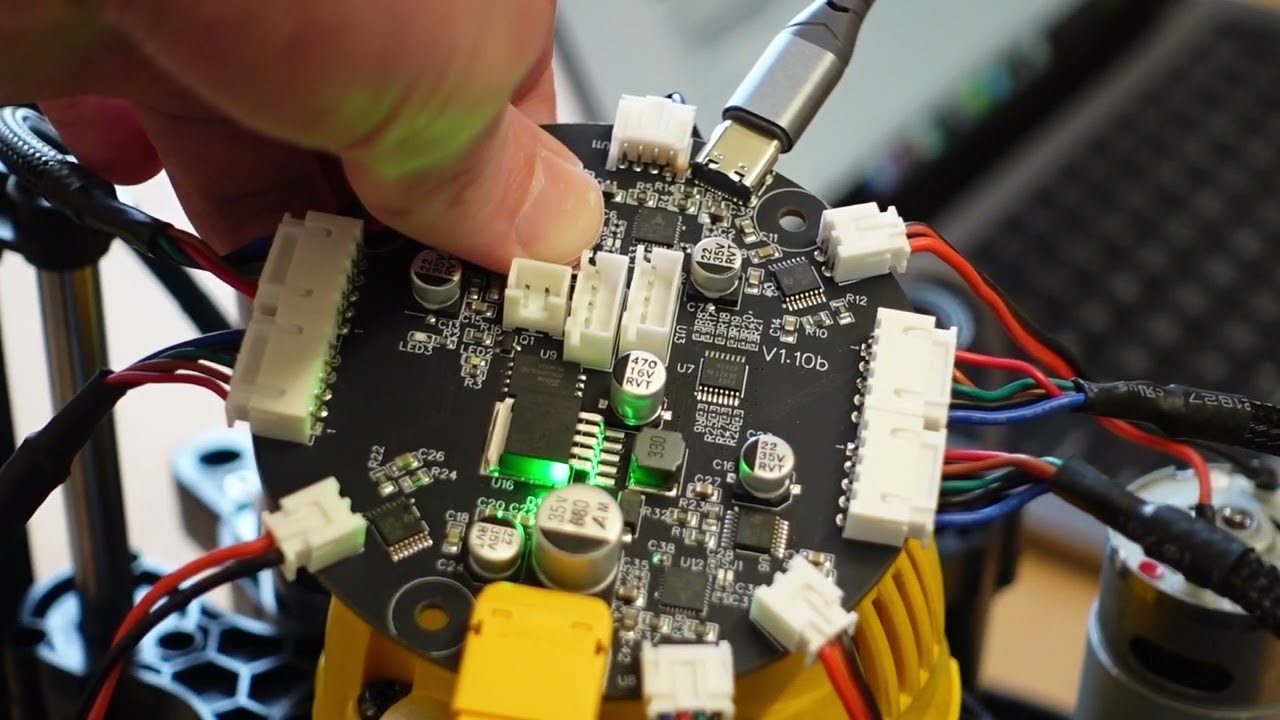
Are you holding down the boot button before powering on the board? I’ve seen this happen if the button isn’t down when the board powers on

I don’t know where the boot button is…just plugged it in.

1 Like

Check out this video here: