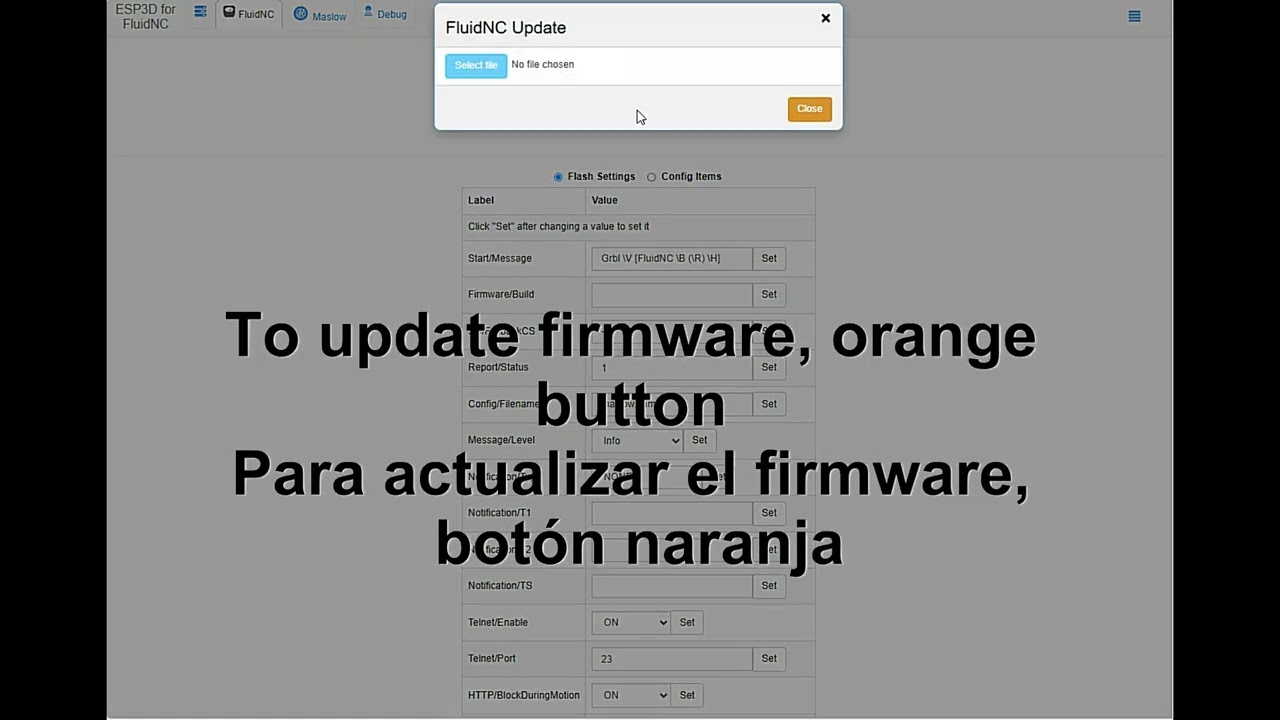
Me gustaria informacion clara para la actualizacion de maslow firmware ya que e tratado y me dice que esta ocupado que regrese
Ademas al querer conectar mi maslow a mi wifi no me aparece en el recuadro de configuración solo retraccion y lo demas del menu menos el wifi agradecería la ayuda
Translated to English, I don’t speak Spanish
I would like clear information for updating the Maslow firmware, since I have tried and it tells me that it is busy and that I should come back.
Also, when trying to connect my Maslow to my Wi-Fi, it does not appear in the configuration box—only retraction and the rest of the menu except Wi-Fi. I would appreciate the help.
Video link
If you still are having trouble, press the Save Serial and put a copy of your serial file here.
Si todavía tienes problemas, presiona Save Serial y coloca una copia de tu archivo de serie aquí.
I have a question, sorry, but when I connect Maslow to my Wi-Fi, the Maslow interface says it’s disconnected? Should it always be connected to Maslow? Or how does the configuration work? I was able to update, but the internet connection is confusing!
There are two ways Wi-Fi can connect to the Maslow
Built in Maslow Web Server - accessed by default using network maslow, password 12345678
If you have configured sta/SSID to your network and set the SSID password in sta/Password, then the blue LED will start flashing and you can connect via your SSID network.
Hay dos formas en que el Wi-Fi puede conectarse al Maslow
Servidor web integrado de Maslow: se accede por defecto usando la red maslow, contraseña 12345678
Si has configurado sta/SSID a tu red y establecido la contraseña del SSID en sta/Password, entonces el LED azul comenzará a parpadear y podrás conectarte a través de tu red SSID.
Okay, but would that be through the Maslow interface? And do I have to disconnect the Maslow access point? Or do I connect my home Wi-Fi from the Maslow settings?
When you setup the SSID and password in the Flash Settings and restart, the Maslow blue LED should start flashing and you should be able to connect with:
maslow.local
from your browser
So, Maslow can’t find your network. Are you certain you set the name and password correctly and this is not a guest network.
Wi-Fi on Maslow is fairly weak are you close to your router?
In the settings, there is a parmeter (pulldown) that it AP, STA, or STA->AP
AP is access point mode
STA is station mode (connects to an access point)
STA->AP tells it to try and connect to the access point you specify, but if you
can’t, come up in AP mode