I’m hoping for some help. I’m running 4.1 and just updated to the latest firmware (1.23 I believe)
I just got fresh spools and belts installed, because I snapped my last belt trying to calibrate.
I just got it re-assembled today, and retraction was a breeze at 700 force. The spools move so much more freely with the new spools.
I still can’t calibrate though, I’m experiencing lifting and super tight belts in the lower left corner during calibration. It gets so tight that I can hear it struggling when it’s in the lower left during calibration… It starts lifting and and tightening, so I pulled the plug as I didn’t want to snap new belts or hurt my new spools.
My setup is concrete floor anchors with 5/8 bolts. Very little flex. I have the belts parallel to the floor , each anchor has a spacer so that it’s the correct height to the arm/spool. Thus, I have the z offset values all at 0. (Am I wrong here, and could this be causing my over tightening?)
I have me belt end set as 40mm as I had to 3d print larger ones to fit my 5/8 anchors.
Other than that, I’ve set my work peice to 1200 by 2400
My setup is concrete floor anchors with 5/8 bolts. Very little flex. I have
the belts parallel to the floor , each anchor has a spacer so that it’s the
correct height to the arm/spool. Thus, I have the z offset values all at 0.
(Am I wrong here, and could this be causing my over tightening?)
if you hadn’t set them to 0 that could be a problem. can you post your
maslow.yaml file?
I have me belt end set as 40mm as I had to 3d print larger ones to fit my 5/8 anchors.
Other than that, I’ve set my work peice to 1200 by 2400
My anchors are approximately, 4375mm × 3772mm
hopefully you mean 2400x1200 (matching your anchors)
Yes sorry, 2400x1200. Although I have no clue why, I decided to shrink my work area (suggested in some threads) to 1800 by 800. And I was able to do a successful calibration with fitness 1.98.
I then jogged in 100mm increments all along my intended work area and it moved fine (2400by1200)
I still wish I could calibrate on my intended work area, but something with the dimensions/geometry almost snaps my belts.
Attached is my yaml, should I just accept it? Or try and figure out why it won’t let me calibrate on a 2400 by 1200 work area.
There is nothing obviously wrong that I can see in you yaml file. If you jog into the areas that were having problems with find anchors does it still struggle?
Can you try loading a GCode file and doing a air cut (no bit) in the problem area?
@James_Presnail - with the lower left area causing the issues, could you tell which belts were getting tight - just one belt, an opposite pair of belts, another combination?
@ian_ab I’ve not kept up with the latest calibration work, but does it still do multiple iterations refining it’s approximation of the frame size? I wonder if it’s getting a duff approximation part way through and bottom left is early on so that’s where it manifests? And/or possibly that a bigger frame + bigger work area causes more-than-linear error to manifest? I’m not sure how to quantitatively test that though.
@ian_ab I’ve not kept up with the latest calibration work, but does it still
do multiple iterations refining it’s approximation of the frame size? I wonder
if it’s getting a duff approximation part way through and bottom left is early
on so that’s where it manifests? And/or possibly that a bigger frame + bigger
work area causes more-than-linear error to manifest? I’m not sure how to
quantitatively test that though.
In theory yes. the starting conditions do affect the final results. not as much
as the old algorithm, and from the tests I’ve done at Maslow Levenberg-Marquardt Calibrator not as much as
I would have thought, small errors have virtually no effect, but large
differences can cause large failures, so running a second time can help
I am working on adding compensation for belt stretch (they are very rigid, but there is some stretch) to the anchor locating math which I think is the next important factor to account for.
It will be a little while before I have something to show, but there are ways that we can continue to improve the math to make it more reliable.
OK, I tried some more today. I was able to calibrate again with 1800x800 grid, but not 2400x1200
What seems to be happening is the lower left corner as the calibration grid grows.. the belts get really tight and the machine makes struggling noises under tension (no belt snap, but intense tension) and the sled lifts a bit. THen after the “struggle” the top right belt doesn’t seem to retract on the next few measurements… and then it regains retraction after a few measurements when the sled starts calibrating points towards the top right anchor. I also noticed that after it makes the turn from the top right toward the bottom right, the bottom left belt stops retracting too. This all happens on the “final lap” of calibration for the 2400x1200 size. attach was the successful and the not successful serial log.
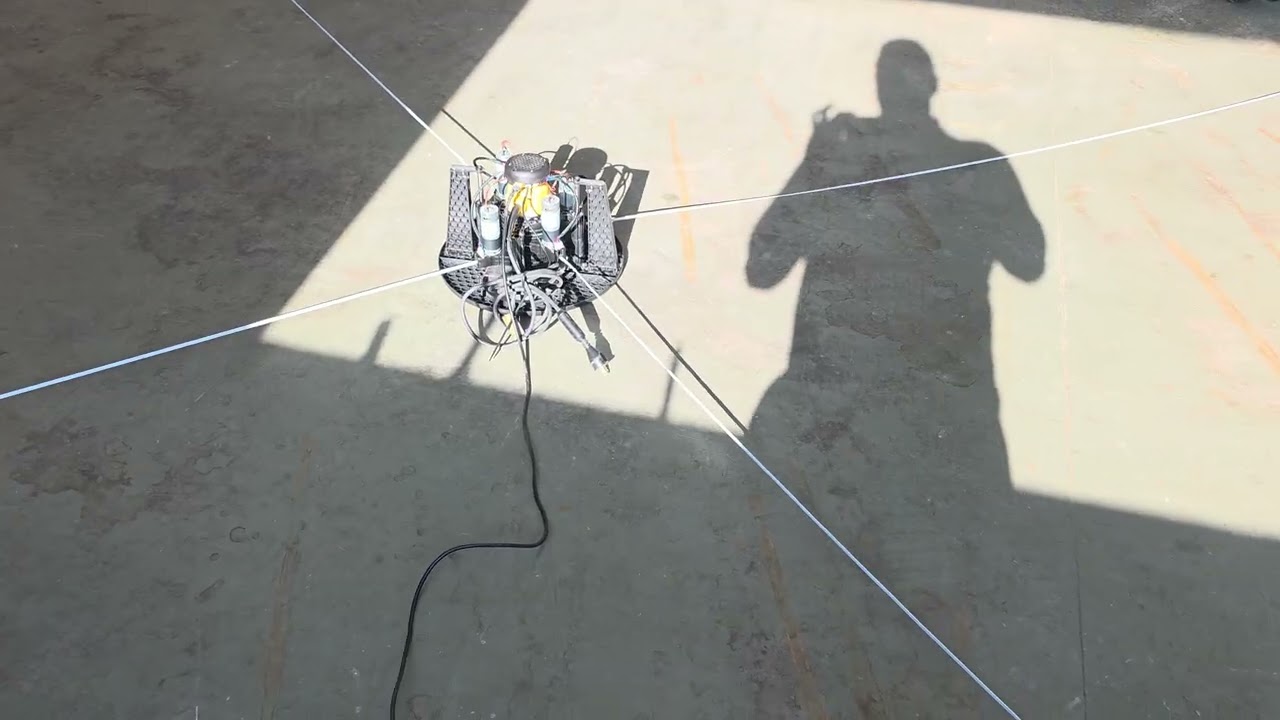
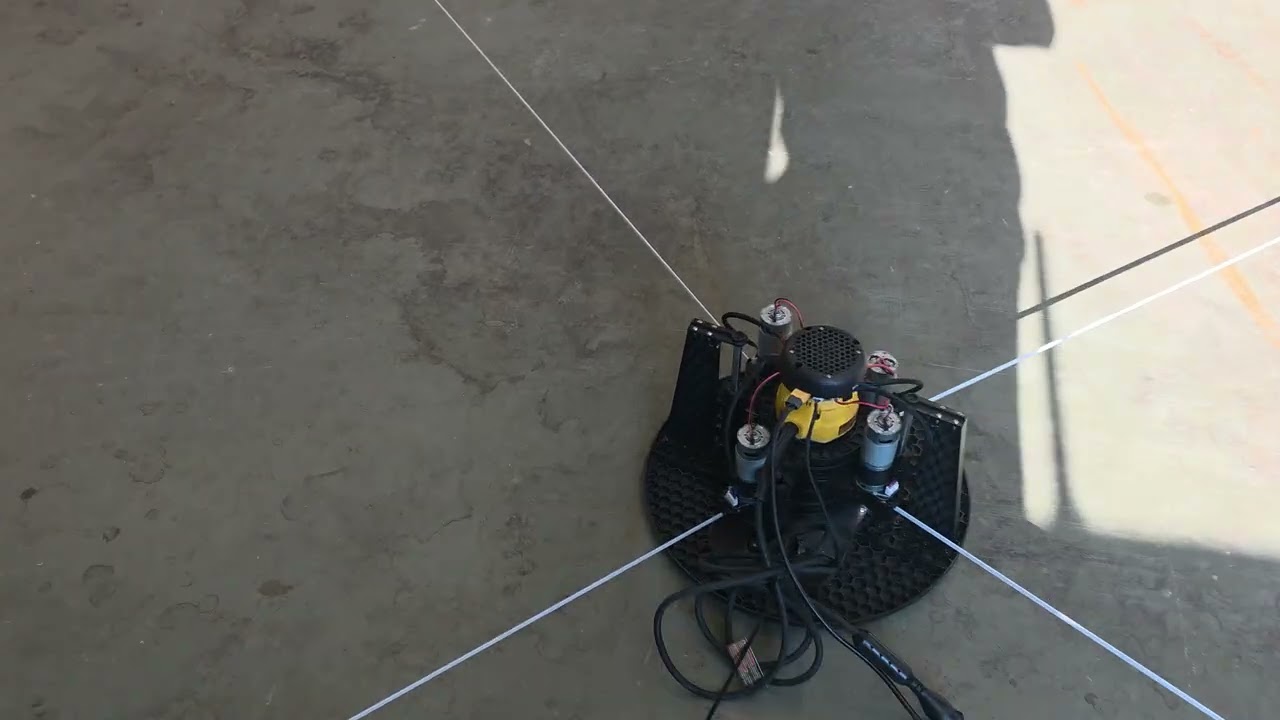
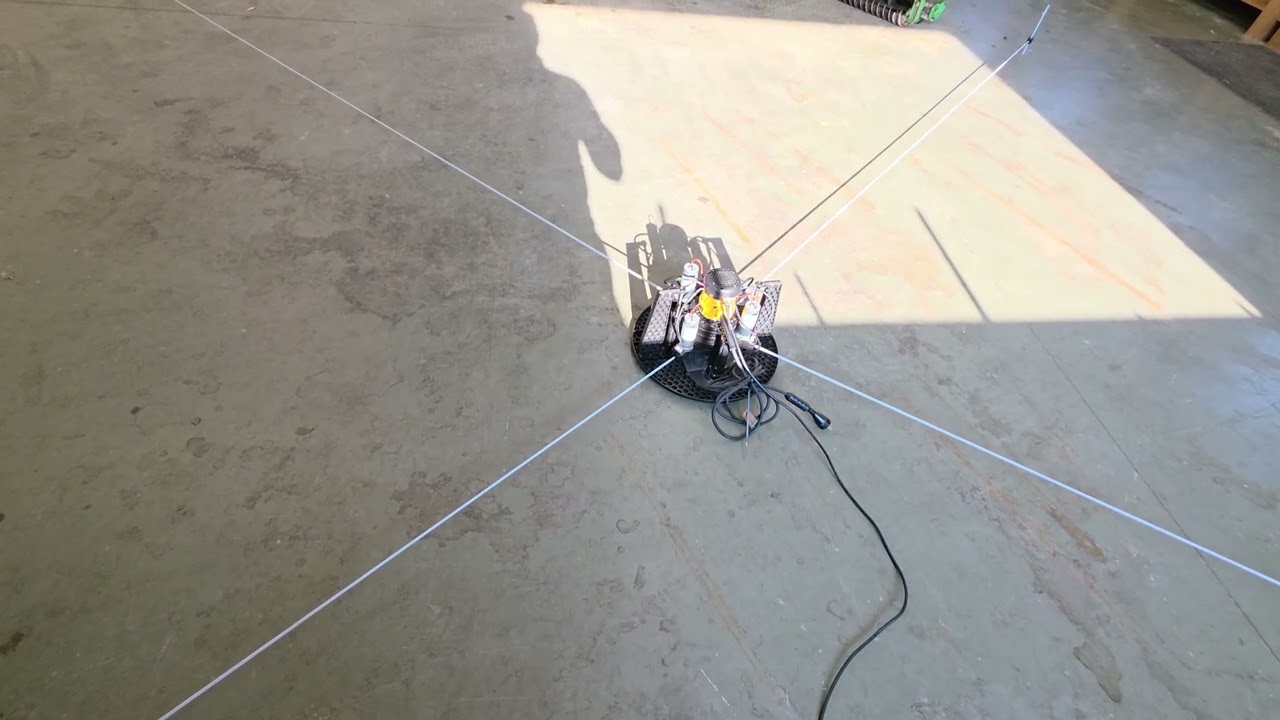
I filmed some videos of it. It’s repeatable Everytime., struggles a bit in the 2nd calibration lap, and the 3rd it really struggles on bottom left corner.
I can see you have raised the belt from the floor level. When you do this you need to put a block under each anchor point locked to the floor to ensure it can not bend. Even small uneven bends from different directions as the belts pull tight have an effect on accuracy.
Also looking at the 198calib.yaml file I note you have all the Z values set to zero. This only applies if all the anchor points are at the same height as each arm. The only one I can clearly see looks like its raised.
By default, the Maslow software expects the height of each anchor point to be the same as the sled, and compensates in the maths with different heights specified in the maslow.yaml file.
Can you provide a photo of each of your anchor points and a shot showing how parallel the belts are when extended.
You could also try lowering the anchor points to floor level and resetting the maslow.yaml file with the default values as per Adjusting height of Anchors, When, Why and How
I just went back and read how you have spacers to raise the anchor points, so that is correct, so long as there is no movement when belts pull on it. May still be worth trying it with default values and without the spacers though.
@James_Presnail which version did you (successfully) run before updating to 1.23? Your experiences sounds really similar to mine. I’m experiencing this since v1.17. I posted about this previously, but in short; excessive tension during calibration, slight lifting and extreme mechanical tension (spool broke). Ref: V1.21 broke a spool and my heart .
Ill try Ian’s suggestion of removing my anchor spacers, and go with default z values. Maybe there is a divide by 0 issue somewhere?
I was farting around with the LM Calibrator that @dlang made. And I kept getting errors pasting my CLBM results. Turns out in many of my calibration sections, the values are missing a syntax, or a digit. see images attached. Could this be a compounding issue? Wifi Drop out? normal…?something else?
@Lasse I was cutting successfully pre 4.1, I haven’t had a successful 4.1 project yet, but I did get this successful calibration on smaller grid… but I don’t love the anchor measurements, because they are out about half inch with my tape measure, so I haven’t tried to cut yet.
Check. I started experiencing issues similar to what you also describe post 1.17. I’ve been using 1.16 for quite some projects. Post 1.17 broke literally tore the machine apart
1.17 uses different math which also failed, but just in different situations.
It’s absolutely something that we need to fix (it should work under all circumstances), but I am not sure exactly what the situations are where one will work and the other won’t
I guess we have a point of failure now @bar. I don’t have time to test versions or have spare parts lying around to replace parts that broke during the calibration, so I’ll stick to 1.17. @James_Presnail if you make any progress please let me know.
 Lol
Lol