Ive finally assembled the machine, calibrated it, and everything seems fine. But when im trying to cut something ive made on carbide create, nothing happens when i hit play. And the message Error 66 appears. Cant find out what error 66 means. Please help!
See Error 66 when I cut. Apparently, it is a failure to open file
2 Likes
Thanks a lot!
1 Like
Does it cause any issues? I haven’t seen that
When i try to press play and cut out some name signs ive made on carbide create, nothing happens. The only message that appear is Error 66.
Otherwise the machine is calibrated and ready to cut.
I have not actually cut anything yet. I hope its just something ive done wrong with the gcode. Im still pretty new to every part of this process
2 Likes
SD_2FHello_20World.gcode (63.5 KB)
Can you try running this gcode and see if it works for you?
Edit:
Actually that is quite a big file. This is a smaller and simpler test:
SD_2FTest_20Square.gcode (157 Bytes)
1 Like
where did you upload the file to the maslow?
can you show us a screenshot that shows the file that’s selected?
David Lang
Which version of Carbide Create? V6 creates normal gcode files. V7 creates a format that can only be used on their machines (I believe the paid V7 has an option to select grbl output).

not sure i understand the question, but ive uploaded it from my computer. Its the one with the blue line
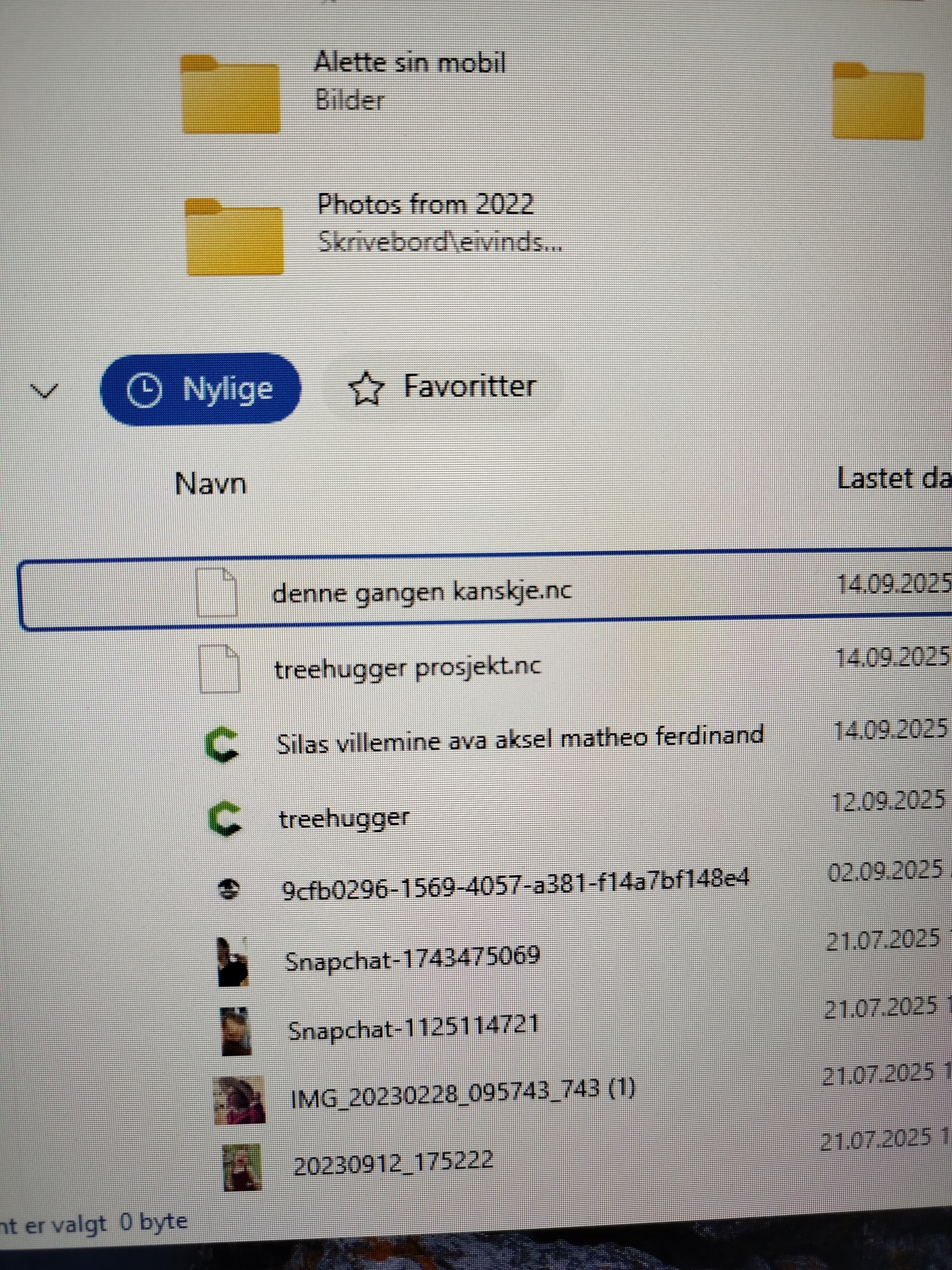
where do you see it in the maslow UI
So i tried both files. First the little square. It made the cut, but it turned out a little weird, so i calibrated the machine again and tried the “hello world”file and it stops after a few centimeters with error 3.
Also the bottom lines are really slack.
Not sure what to do next, all help is appreciated!


1 Like
Hmmm That error 3 message is usually seen at startup which makes me think that something might have caused the machine to restart?
Any chance that you have a copy of the full log file?
I get the same error 66, but only for the attached G-code file, it’s created in KrabzCAM.
sköld 6mm.nc (34.2 KB)
I might be the “ö” in the name, will try without it.
1 Like
I have seen this too, however the file still runs and completes
The name was the problem, I changed it to skoeld 6mm.nc and then it worked as expected.
3 Likes
Maslow-serial.log (34.8 KB)
so ive been busy for a while, but i managed to run it once more with the “hello world”. and it did the same thing as last time. here is the serial log of the run.
I’m seeing something a little different in the log. It’s reporting that the machine stoped itself automatically because of a position error.
[MSG:INFO: Using spindle NoSpindle]
[MSG:WARN: Position error on Bottom Left axis exceeded 15mm while running. Error is -15.019mm Counter: 1]
[MSG:WARN: Previous error was -15.019mm]
[MSG:WARN: Position error on Bottom Left axis exceeded 15mm while running. Error is -15.032mm Counter: 2]
[MSG:WARN: Previous error was -15.032mm]
[MSG:WARN: Position error on Bottom Left axis exceeded 15mm while running. Error is -15.069mm Counter: 3]
[MSG:WARN: Previous error was -15.069mm]
[MSG:WARN: Position error on Bottom Left axis exceeded 15mm while running. Error is -15.094mm Counter: 4]
[MSG:WARN: Previous error was -15.094mm]
[MSG:WARN: Position error on Bottom Left axis exceeded 15mm while running. Error is -15.119mm Counter: 5]
[MSG:WARN: Previous error was -15.119mm]
[MSG:WARN: Position error on Bottom Left axis exceeded 15mm while running. Error is -15.132mm Counter: 6]
[MSG:WARN: Previous error was -15.132mm]
[MSG:ERR: Emergency stop! Stopping all motors]
Are you still seeing the belts be too slack or too tight? If you manually apply a little tension to the belts if they are slack what happens?
The two lower belts are slack just like in the last picture. (I havnt tried applying manual tension to the belts after it emergency stops)
It almost seems like the lower belts arent able to keep up with the two belts above.
Could it have something to do with me living in a 240V country instead of your 110V?
Could it help to have the frame horizontal instead of vertical?
I don’t think that these are the issue, both of those should be totally OK.
If you use the arrow buttons to jog around what do you see? Do you only see the issue when running a file, or does it it also happen when using the arrow buttons?
Index.html Version: 1.10
I also vaguely remember an issue like this around version 1.10. I would try updating to the latest firmware version. We are pretty regularly finding and fixing bugs so it’s possible that whatever you are running into has been fixed in the latest update.