

[MSG:INFO: Calibration starting in VERTICAL orientation mode]
The machine knows that its in vertical mode for sure
Is the behavior that you are seeing still looking exactly the same as in the video? It’s not moving along a grid?
Yes. I’m trying send the video. Just a second
Maslow_Retract_Current_Threshold: 1800
Maslow_Calibration_Current_Threshold: 1000
This seems pretty high. Do you need to have it that high to get them to retract?
Ok so I first wiped out all the old uploads from my laptop then updated the board with the usb to 1.09. Did the power off, disconnect and reconnect. Extended belts retracted belts, set grid size and all that. Saved. Powered down, disconnected, powered up, reconnected, hit retract the extend. Hung the machine and hit calibration. The movement is the exact same every time I calibrate. Same pattern. Then stops at the top in the fitness loop. Fitness rarely goes above a 0.03. Thanks from looking the files over. The unnumbered log was after the update and hit the test button. The number sequence should match the steps I listed here. Also included the yaml file.
It’s OK to just post one log file at the end, it will capture everything that happens before it and it’s not too hard to match up what I’m seeing with where in the file each thing is happening.
This is the issue, until we get that grid pattern that we expect I don’t think we can expect the math to come up with a good answer.
Trying to figure out why it’s not moving smoothly is what we need to figure out first.
Mechanically does anything seem off about any of the arms?
What are the measured distances of your frame?
What values do you have for Tlx, Tly etc in the config under the FluidNC tab?
I probably could do less I just have had to hit retract more than once sometimes (not all the time) to get them all in. They seem to extend and retract OK. Nothing really seems like it’s struggling. Do I need to take the arms apart??
  MaslowKinematics:
    tlX: 139.199997
    tlY: 3230.600098
    tlZ: 100.000000
    trX: 4308.899902
    trY: 3230.699951
    trZ: 56.000000
    blX: 0.000000
    blY: 0.000000
    blZ: 34.000000
    brX: 4340.399902
    brY: 0.000000
    brZ: 78.000000
I was thinking the same thing. I even added a checker to the code today which will catch bad values in there and prevent them from messing things up, but that’s not it. He’s got all the default values which look fine.
I’ll have to get that for you tomorrow.
Can you try lowering that value down to 1200 and see if they all retract? Having the retract value much higher than the measurement value could be leading to strange behavior where one of the belts is pulling “tight” when taking a measurement, but that’s actually not enough force to pull it tight.
I’m not sure I’d recommend bumping them both up to 1800 because that’s pretty high so lets try to go the other direction.
That being said I’m not really convinced that would give the behavior that you are seeing.
From the log file (27):
Maslow_tlX: 2625.8
Maslow_tlY: 3230.9
Maslow_trX: 2825.2
Maslow_trY: 2828.8
Maslow_blX: 0.0
Maslow_blY: 0.0
Maslow_brX: 2801.2
Maslow_brY: 0.0
tlX looks weird
What caught your eye about it?
I keep watching that video and it looks so much like what it looks like to run in horizontal mode on a vertical frame. Here is my machine in horizontal mode for comparison:
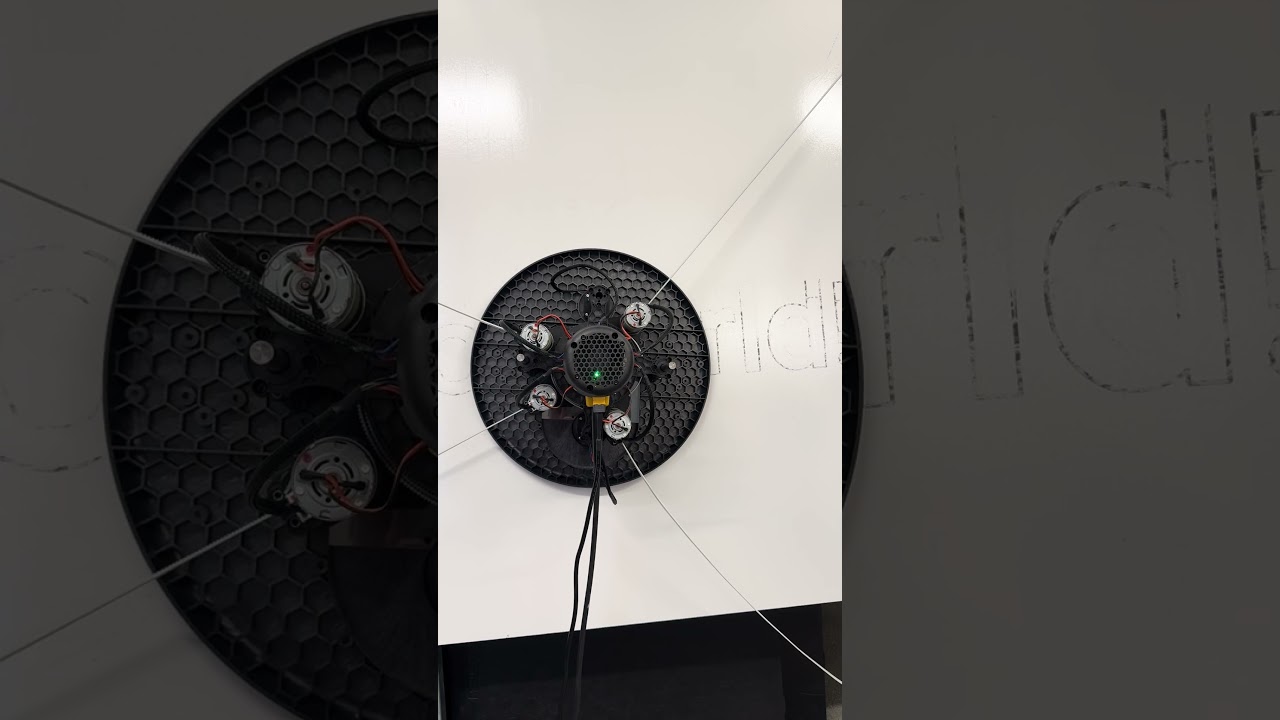
The similarity is really striking and I can’t figure out what else could cause that…but clearly that isn’t what is going on.
Well I can try to run it as horizontal. To see what happens??
We could try it but I’m skeptical 
Maybe a magnet issue could cause something like this?
What do you see if you press the Setup → Test button?
I’ve zipped it up for the night. I’ll check it out tomorrow. Inspect magnets and lube things up a bit. Anything else to look at while I’ll have them apart?
Top left X should be close to 0 within a couple of hundred mm, not over 2.6 metres