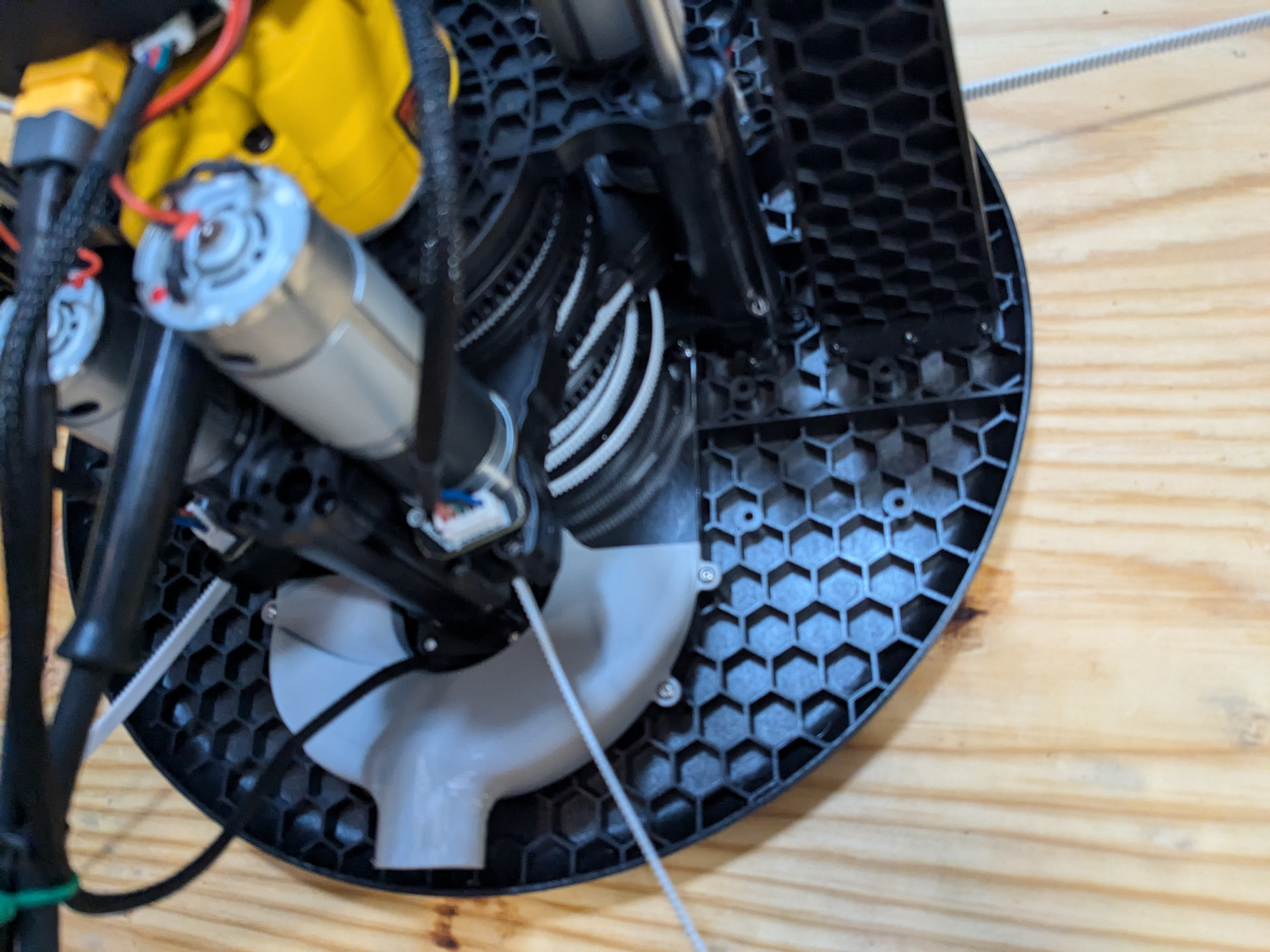
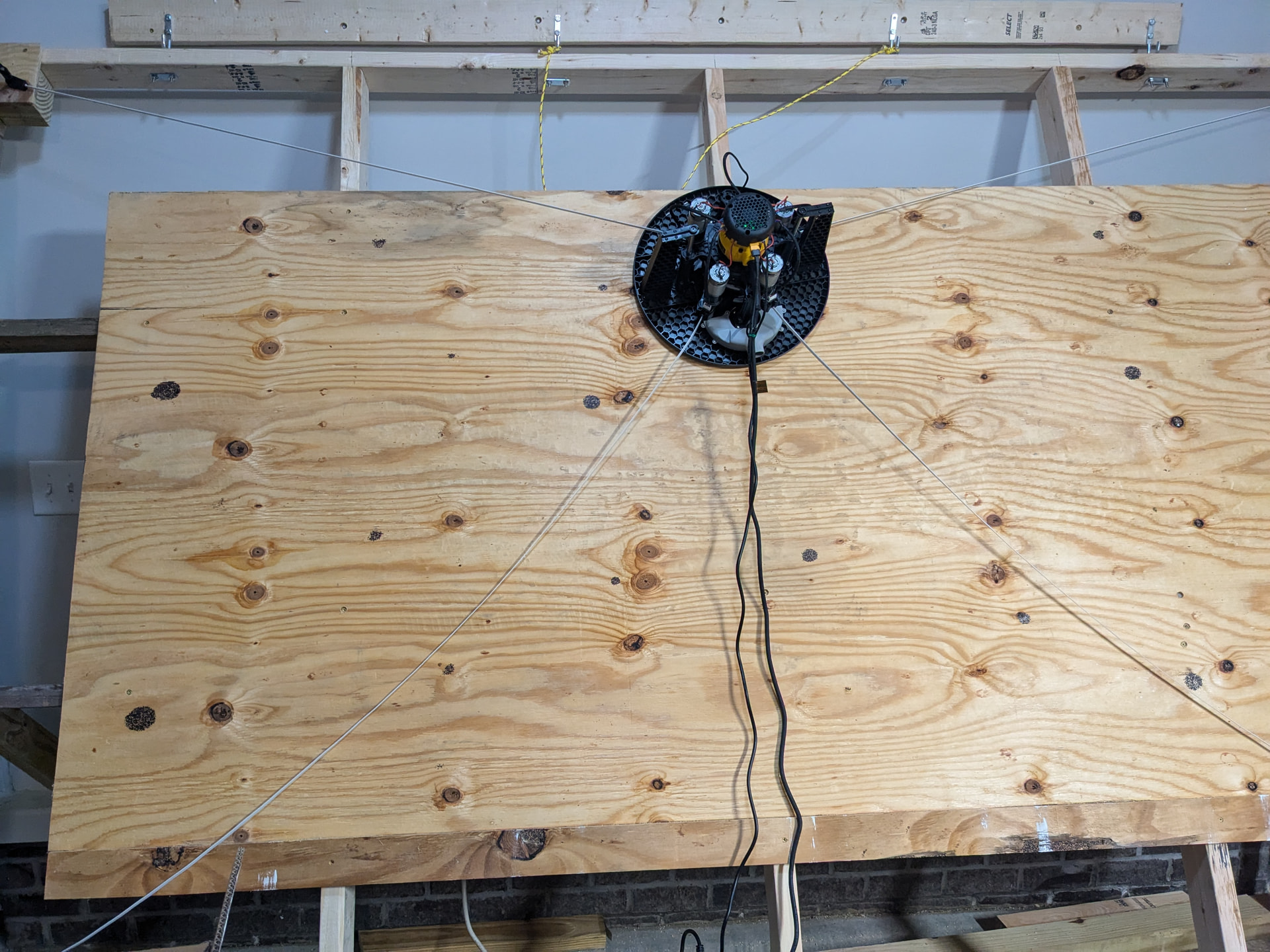
I am just getting my Maslow up and running, but I am having an issue with one of the belts being slack. I was wondering if someone could share their thoughts on what I should look at first to fix this.
I did not have an issue extending, mounting, and then running find anchors. This only started after I moved the Maslow around the board to make sure my cords would not catch.
I am just getting my Maslow up and running, but I am having an issue with one
of the belts being slack. I was wondering if someone could share their
thoughts on what I should look at first to fix this.
I did not have an issue extending, mounting, and then running find anchors.
This only started after I moved the Maslow around the board to make sure my
cords would not catch.
when you extend and retract, does that arm pull in evenly with the others?
that much slack is clearly a problem. is it spooling out and not retracting as
you move around?
Make sure you clear that tangle by easing the belt out before attempting to
retract as it may damage the belt and jam
As long as the belt is all at the same level, no parts sticking up and down,
I’ve found that pulling on it tangles it, but telling it to retract pulls it
back to the spool from the inside with far fewer problems.
I went ahead and updated to 1.15, then reran the calibration, extended the belts, mounted the unit, and it worked fine. I was then able to move the Maslow around the board without the belt being slack. I attempted to put it in about the same spot as I noticed the slack before, but it never happened.
I did, however, see more issues. When I move the Maslow to the top 2 feet of the board, I notice the bottom of the unit is coming off the plywood. I think I have enough angle from the wall (my frame is wall-mounted/hanging), but if I need to extend it out further, I can.
And a third item. My Maslow always seems to want to be twisted. You can see it in the picture above. I can twist it on the board so the power cords point down, but after it moves 6 inches, it’s back to the above image. Maybe this does not matter, but I wanted to share.
I did, however, see more issues. When I move the Maslow to the top 2 feet of
the board, I notice the bottom of the unit is coming off the plywood. I think
I have enough angle from the wall (my frame is wall-mounted/hanging), but if I
need to extend it out further, I can.
a little more angle will help.
And a third item. My Maslow always seems to want to be twisted. You can see it
in the picture above. I can twist it on the board so the power cords point
down, but after it moves 6 inches, it’s back to the above image. Maybe this
does not matter, but I wanted to share.
that does not matter, the arms freely pivot so that it doesn’t matter what the
sled angle is.
Hi, I don’t know if it’s related to this, but I noticed the machine tilting even in horizontal mode. We also updated the firmware to v1.15 and it didn’t finish searching for anchors on the automatic grid for several hours. Then it didn’t finish on 9x9 with 2000x1000 either (several hours) and only now I finished with 7x7 and 1500x750 with a fitness result of 1.07
It’s already midnight today, so I’ll test the movement and accuracy tomorrow.
Jura23,
I am looking forward to your update. Thanks for sharing that information.
After extending my frame off the wall by about two feet, it was much better than before. However, the belt has gone slack again. When my unit reaches the upper part of the plywood, both lower belts go slack, with the lower right belt being the worst. If I move the Maslow down from this point, they will tighten back up. I have to move it about a foot.
I can pull the belts myself and tighten the spindle, but I still have a very slack hanging belt.
I have also now noticed that when I pull the Maslow down and Retract All, the same lower-right belt/motor does not pull in. The other three do. I can retract a second time, and it pulls it in. I have also had to reboot it to retract it once before. I am really worried I missed something when building that section of the Maslow. If I need to take it apart, I would rather do it now.
The other picture I just wanted to share for thoughts on if that belt is going to be an issue when I add a bachelor’s board. I am thinking of adding a spacer board to that corner to move the belt off the frame by about an inch. In fact, I was thinking of having all the corner pin holes stair-step in height based on their position on the Maslow.
After extending my frame off the wall by about two feet, it was much better
than before. However, the belt has gone slack again. When my unit reaches the
upper part of the plywood, both lower belts go slack, with the lower right
belt being the worst. If I move the Maslow down from this point, they will
tighten back up. I have to move it about a foot.
that means that it did not find the anchor locations correctly.
When you do the ‘find anchors’ the belts need to get tight at each point as it
measures them. If they are slack at that point it will throw everything off.
I have also now noticed that when I pull the Maslow down and Retract All, the
same lower-right belt/motor does not pull in. The other three do. I can
retract a second time, and it pulls it in. I have also had to reboot it to
retract it once before. I am really worried I missed something when building
that section of the Maslow. If I need to take it apart, I would rather do it
now.
I would suggest taking it apart. you can sort-a work around it by increasing the
current limits, but if it’s not moving easily, that will just cause more grief
going forward.
on each arm, get the belt extended just a bit (a few inches is enough) and then
see how hard it is to wiggle the spool, you should be able to move it back and
forth just a little bit (not even 1/8 in, but enough to feel/see it move)
when you open up the arms and you have the idler gear out, you should be able to
rotate the spool easily. I found that I could do so on one half of the arm, but
not on the other (after the 4.1 kits shipped, bar modified the spools to have a
slightly larger hole because of this)
I used these in a dremel to carefully sand the inside of the spools until they
moved freely
and I purchased these bolts as they are easier to deal with than the stock ones
The other picture I just wanted to share for thoughts on if that belt is going
to be an issue when I add a bachelor’s board. I am thinking of adding a spacer
board to that corner to move the belt off the frame by about an inch. In fact,
I was thinking of having all the corner pin holes stair-step in height based
on their position on the Maslow.
I am of the opinion that it’s better if the belts are closer to horizontal.
The thing you need to watch out for is to make sure the spacers don’t cause the
bolts to flex (it’s something like 60 pounds of force pulling
when you figure out what you want to do for them, reach back out and we’ll walk
you through the measurements you need to do to set the z offset values
Hi, I don¢t know if it¢s related to this, but I noticed the machine tilting
even in horizontal mode. We also updated the firmware to v1.15 and it didn¢t
finish searching for anchors on the automatic grid for several hours. Then it
didn¢t finish on 9x9 with 2000x1000 either (several hours) and only now I
finished with 7x7 and 1500x750 with a fitness result of 1.07
see what you can do to smooth the bottom of the sled
a 4x8 frame is very small, you can only go ~300mm vertically and 1600mm
horizontally to stay in the green area
you may be better narrowing the anchors a bit to expand the vertical range of
the green area.
As you go outside the green area, it’s not that the maslow won’t work, but that
the effective length of the belts won’t be what it thinks they are, so there
will be errors.
If you try to calibrate outside of the green area, this bad data gets into the
anchor position calculations and results in bad results.
We just added a new feature to take the guess work out of that. Just set your grid size to 0mmx0mm and the machine will automatically calculate the best gridsize to use.
It’s a brand new feature so feedback is very welcome!
We just added a new feature to take the guess work out of that. Just set your grid size to 0mmx0mm and the machine will automatically calculate the best gridsize to use.
It’s a brand new feature so feedback is very welcome!
does it do any angle checking? or is it just a % of guessed frame size like the
initial version?
It just does a percent of the frame size as measured after the first six data points are in. It’s pretty simple, but it’s a lot better than asking folks to compute it themselves and outside of extreme cases it should be OK on angles
It just does a percent of the frame size as measured after the first six data
points are in. It’s pretty simple, but it’s a lot better than asking folks to
compute it themselves and outside of extreme cases it should be OK on angles
I’m just thinking of some of the more exteme things we’ve seen posted here,
people trying to use a 4x8’ (1200x2400) which produces a 300mmx1600 cutting
area. We’ll see how it works, but it may be worth checking the angles rather
than just doing a % of the first estimate.
Update. I did a little cleanup work on my frame and stair-stepped my anchors to make the belts very close to level on each arm. I printed the corner anchors from the not-shop and am using them. This allowed me to anchor closer to the corners of my frame.
I then ran the calibration using 0mmx0mm. Not sure which adjustment was the winner, but it is moving around much better now, without any slack in the belts.
Update. I did a little cleanup work on my frame and stair-stepped my anchors to make the belts very close to level on each arm. I printed the corner anchors from the not-shop and am using them. This allowed me to anchor closer to the corners of my frame.
did you change the z offsets for each arm as well?