I’ve set up a Z-probe on my M4 following the instructions from this thread. The probe triggers correctly and stops at the plate, but I’m getting an error during the retract phase.
Probe panel settings (Preferences → Show probe panel):
Max travel: 50 mm
Feed rate: 100 mm/min
Touch plate thickness: 1 mm
Retract distance: 1 mm
What happens:
I press the Probe button in Web UI
The router descends and touches the probe plate correctly
The probe triggers and stops (I can see [PRB:...,1.616,0.000:1] in the console)
Immediately after, the system tries to execute: $J=G90 G21 F1000 ZNaN
This results in: ERROR:2 Missing the expected G-code word value or numeric value format is not valid
Full console output:
text
[PRB:0.183,5.045,-9.820,1.616,0.000:1] $J=G90 G21 F1000 ZNaN [MSG:INFO: Probe offset applied:] ok ERROR:2 Missing the expected G-code word value or numeric value format is not valid.
Current workaround:
After the error, I manually:
Go to Setup → Set Z-Stop to set Z=0
Manually jog Z up 5-10 mm
This works, but it’s not ideal for a workflow.
What I’ve tried:
Verified preferences.json contains the correct values:
Looking at your console log, the probe itself is working. FluidNC returns a valid PRB result. The error happens after that. The Web UI is sending “ZNaN”, which means it calculated an invalid number for the retract move. So the controller is just rejecting that bad command. This looks more like a Web UI retract bug than a probe configuration issue. I’d try opening the browser dev console while probing to see if any JavaScript errors show up and also confirm the WebUI version is compatible with your FluidNC build. The probe hardware seems fine; it’s the generated retract command that’s breaking. It could help if the Web UI validated the computed retract position before sending the $J=G90 command. For example, after a successful PRB, confirm the returned Z is a finite number, and if not, show a clear error instead of sending a malformed G-code. That would make the probing workflow way more robust and prevent this ZNaN type failure.
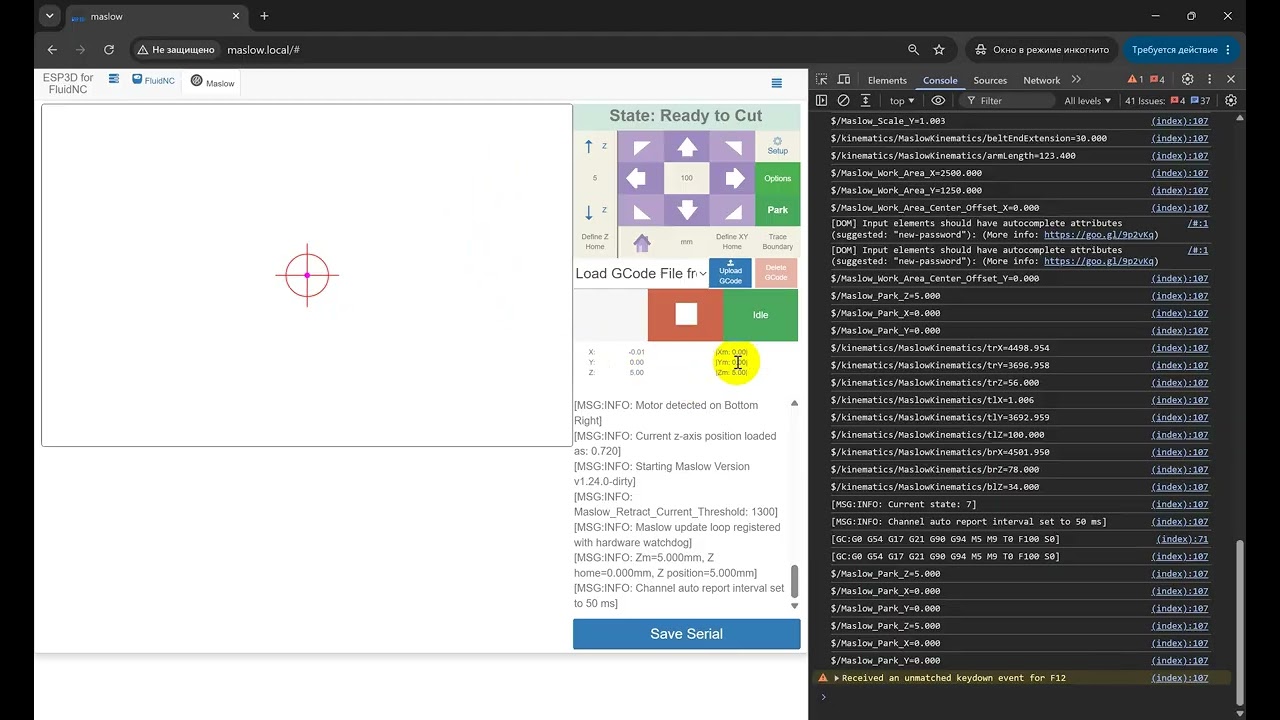
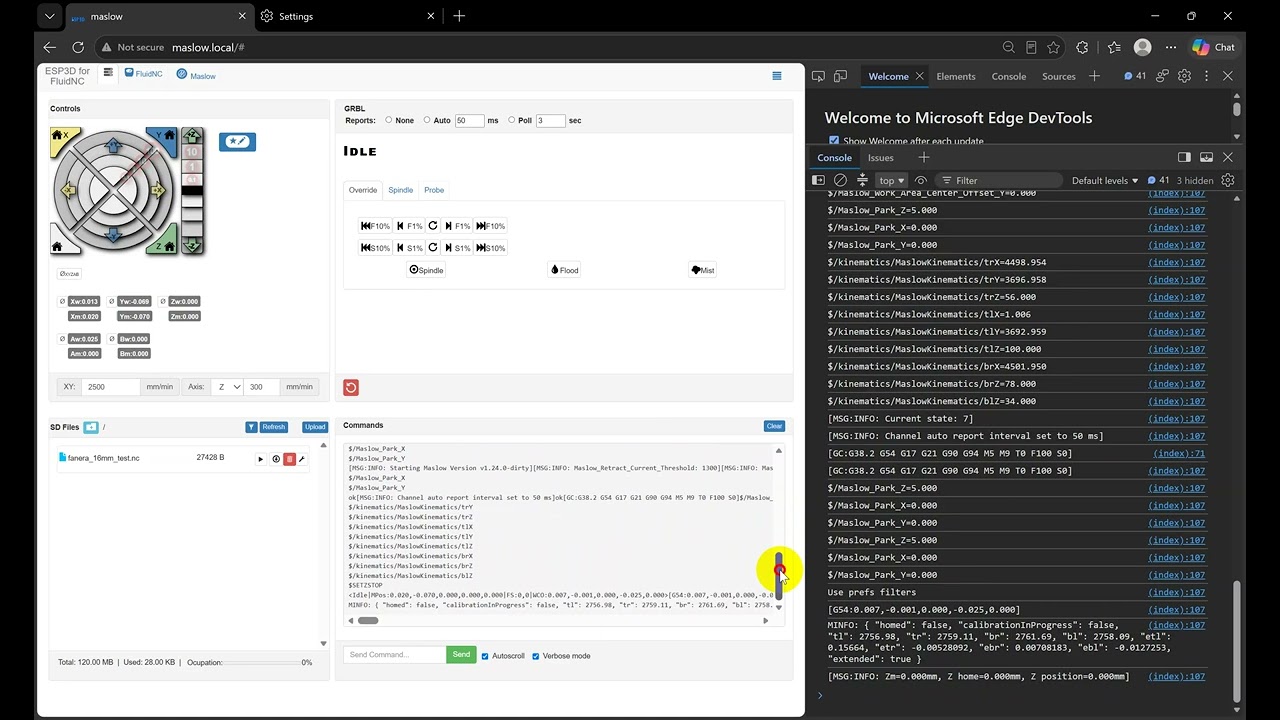
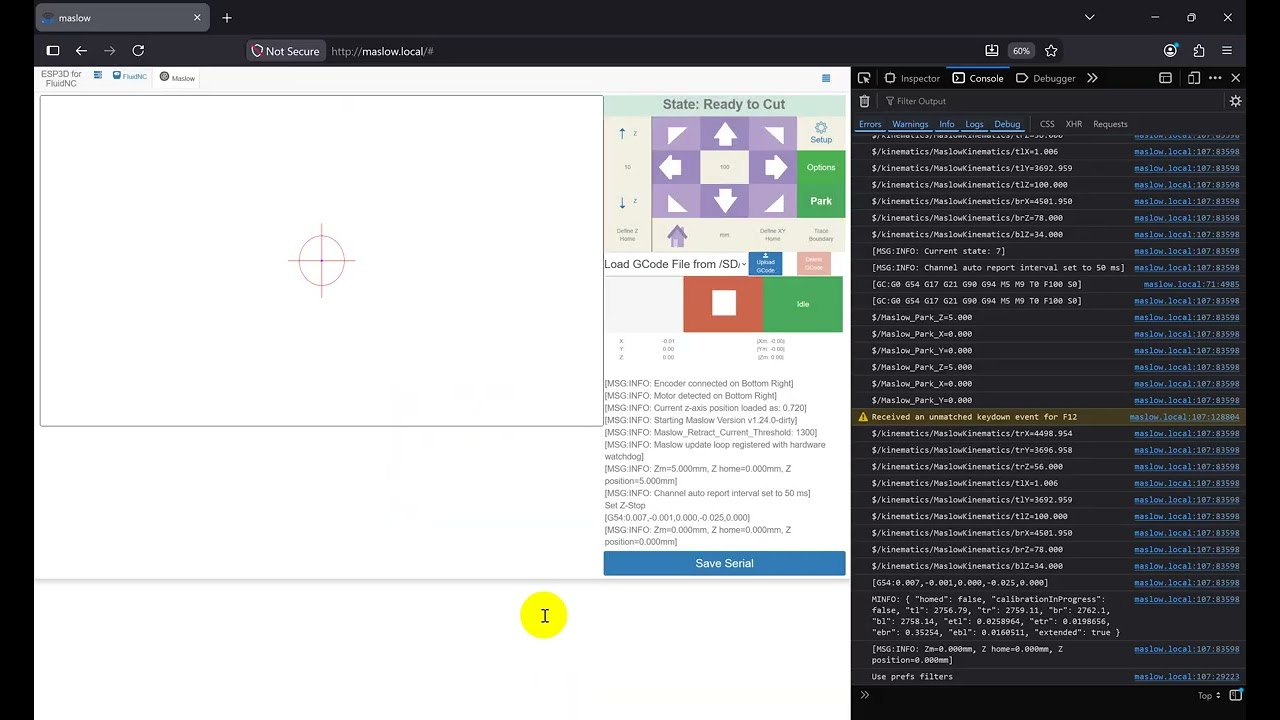
Yes, the sensor is working fine; this is a software-related issue. I tried to reproduce it in different browsers. I’m including links to some YouTube videos. Maybe this will help clarify the issue.
Chrome Error Z-Probe works but gets ERROR:2 with ZNaN on retract (Web UI v1.24.0 / FW v1.24.0)
Edge Error Z-Probe works but gets ERROR:2 with ZNaN on retract (Web UI v1.24.0 / FW v1.24.0)
Firefox Error Z-Probe works but gets ERROR:2 with ZNaN on retract (Web UI v1.24.0 / FW v1.24.0)
Repeated TMC2209 Driver Failure Across Multiple Maslow BoardsI’m documenting a hardware failure pattern I’ve now seen on three separate Maslow controller boards: two revision 1.12 boards and one revision 1.10 board. In my latest test, during Find Anchors, a TMC2209 driver IC (U12) visibly failed with sparks and smoke. No Z stepper motors were connected at the time. The firmware reported both Z drivers passing the UART test at startup before the failure occurred. Based on the published board documentation, U1 and U12 are the two TMC2209 Z-axis drivers; the four belt motors use DRV8876 drivers. Because the same driver position has failed on both v1.10 and v1.12 boards, I’m trying to determine whether this is a recurring hardware failure condition rather than a firmware or configuration issue. I plan to review the KiCad design files and trace the U1 and U12 power and control paths before making any hardware changes. Has anyone else experienced an actual TMC2209 hardware failure (not Z calibration issues) on either a v1.10 or v1.12 board? If so, I’d be interested in board revision, which driver failed, what the machine was doing at the time, and whether the Z motors were connected. I’m trying to determine whether this is an isolated case or a repeatable hardware pattern. on the TMC2209, UART setup and STEP /DIR signaling are separate. You don’t need STEP/DIR pulses during UART configuration. In your case, the fact that the Z drivers passed the UART test at boot and then one later failed with no motor and no step pulses is not something I’d expect from missing STEP/DIR signals. That points elsewhere—power, board-level fault, or a defective IC.
If you are getting repeated stepper driver failures it might also be worth looking at the power supply. They are very sensitive to voltage spikes (especially if you had one fail with no motor connected to it). Roman had a similar issue when he was powering his machine with a benchtop supply that had a voltage regulation issue. When he would plug it in the inrush current of charging the capacitors on the board would cause the power supply to miss regulate and spike up to 35 volts which would blow up those stepper drivers.
Thanks @bar, that example of Roman’s power supply spike is really helpful. In my case, I’ve now had three U12 TMC2209 failures, one on a V1.10 board, two on V1.12 boards. The first two were with the original Maslow 24V- 5A supply. The 3rd was with a completely different 24V- 5A supply. And that supply is still in use. And this most recent failure happened with both Z motors unplugged. So there’s no motor current at U12. That doesn’t rule out transients, but it does make me wonder if the board is sensitive to them versus a single bad PSU. One thing that I can’t reconcile is why U12 repeatedly becomes the casualty. While U1, which, shares the same 24V rail, survives. Has anyone else with Z-axis anomalies checked whether their U12 is still healthy? I’m wondering if there are silent U12 failures out there that just didn’t produce visible fireworks.
I’m not using the probe functionality, so I can’t test it, but I created #1082 which came back with the following which may fix it: firmware.bin (1.9 MB) index.html.gz (139.4 KB)