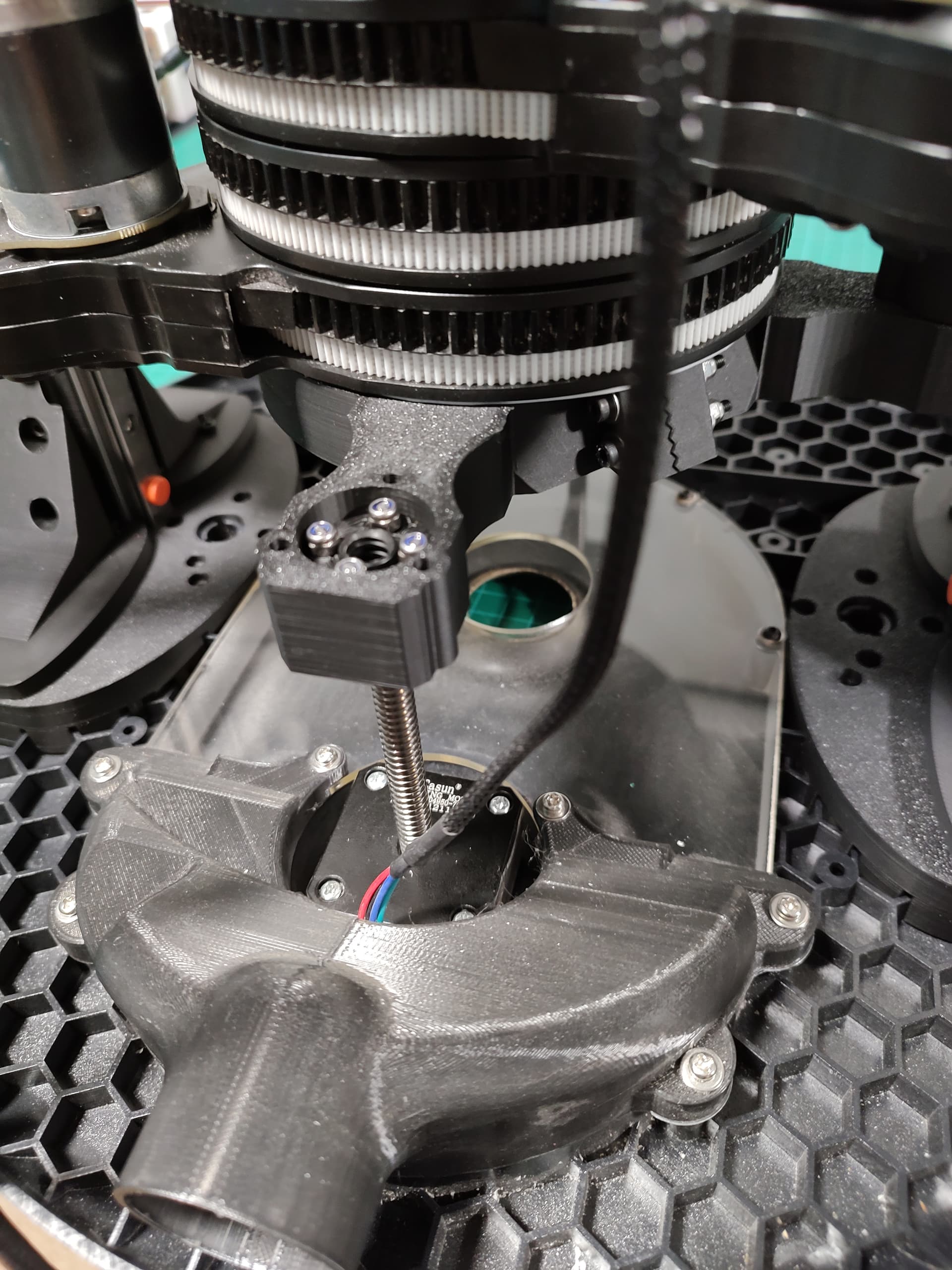
I linear rails-ed my Maslow

TLDR: It’s a lot stiffer than than the current Maslow, at a trade-off some extra weight (~2kg, but we’ll see if that can be optimised), and reduced Z travel (I still get ~25mm of bit depth which is more than I need). Plus component cost + printing time of course.

I’ve been working on this for a couple of months and sitting on it for about a month because i’ve not been able to test it yet (because of a bereavement), but i’m just going to put it out there and hopefully i’ll get time to test it soon. I’ll have to post all the details in little chunks when I get 30 mins here and there (same reason), so bear with me. I should be able to do a build thread at some point with photos I took from the final build.

The problem I was trying to solve was that I was getting noticeable flex when doing X axis aligned cuts with a 1/4 bit (which is what I want to use to avoid bit deflection). As there was only Z height support on 2 of the 4 columns, I could flex it x-axis aligned. That is actually what triggered the Maslow 4x4 over-arching project i’ll discuss in another thread, but that quickly side-tracked into doing this conversion kit stepping stone.

Also it has a handle now, which is nice:

I’m working on a few designs, so to keep track of versions etc, i’ve stuck it in a fork on github:

(You can just download a zip of all the files).

It’s STLs because I started throwing things together in TinkerCad and at some point if it works well i’ll recreate it properly in a proper CAD package.

The README also has a component list that i’ll stick at the bottom of this thread.

Here’s some random photos from when I built the latest version (1.0):
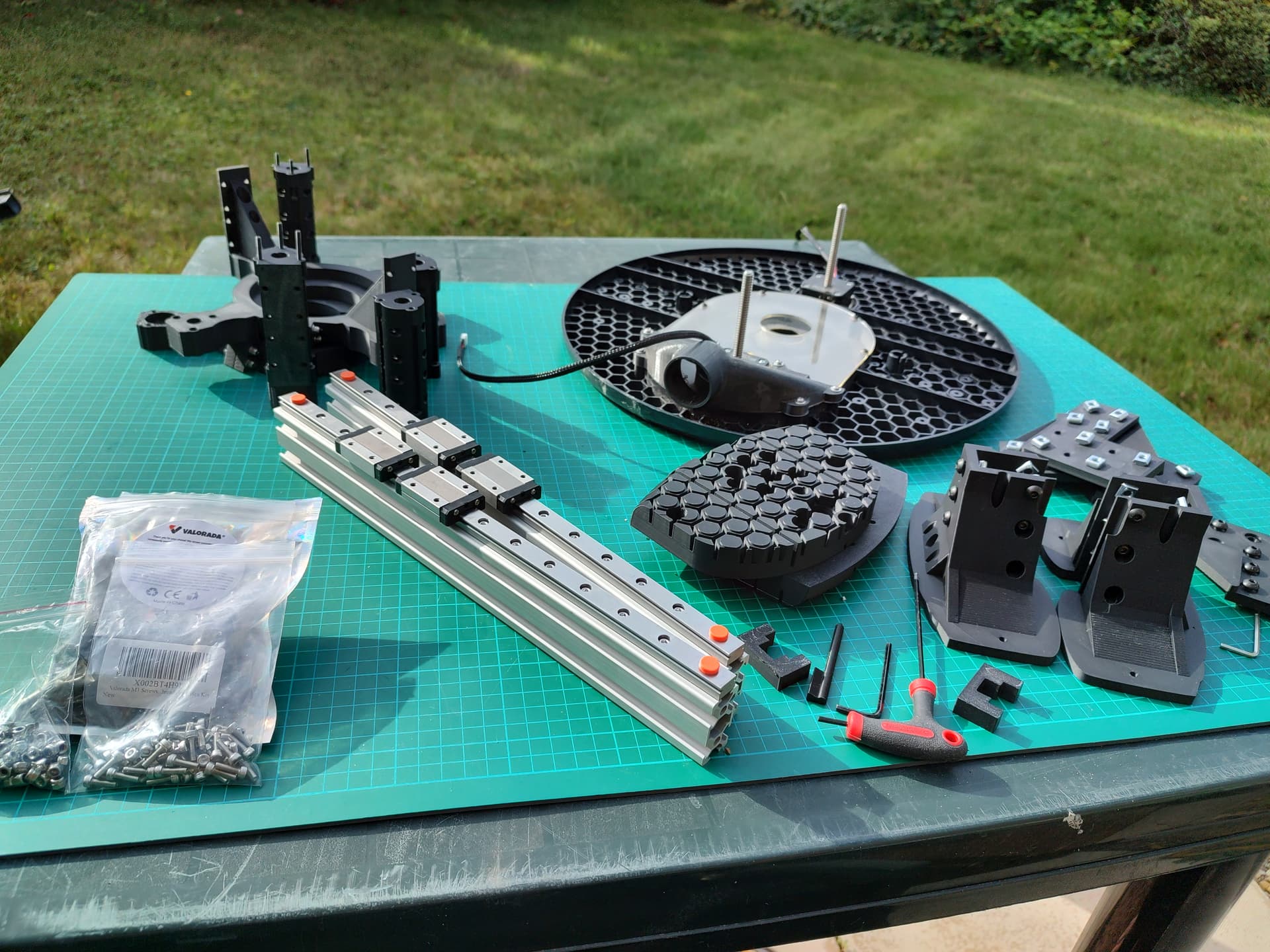


There’s a bunch of design decisions i’ll go into more depth at some point, but off the top of my head:

  • The top and bottom clamps / plates are 20mm rather than 11mm because it adds a huge amount of stiffness.
    • The extra 9mm goes up and down from the area that clamps onto the router - that bit is still 11mm
    • The clamp is zigzag and 2 bolts to make it stiffer, it’s also sized quite carefully, to the point it should be tight when done up, but tape to pad might be needed depending on printer tolerance.
    • The top and bottom can also be different because you’re printing them.
  • Using 350mm 2040 for the uprights as well as the cross piece is deliberate - although it looks tall, the room lets you remove the router vertically to remove the arms without disassembling the sides, which are the bits that you need to fettle into place the most.

Non-printed components:

  • 3 x 350mm 2040 aluminium profile.

  • 2 x 350mm MGN12 rails (300mm also works but limits maintenance Z travel).

  • 4 x MGN12H Carriage (2 per rail).

  • 50 x M3 30mm socket head cap screws (includes spares).

  • 20 x M3 10mm socket head cap screws (includes spares).

  • 100 x M3 Locknut (includes spares).

  • 10-30 x M3 washers (10 needed for router clamps, other per user preference).

  • M3 balljoint allen key (at least 100mm, the longer the better).

  • 60 x M5 12mm button head cap screws (includes spares).

  • 60 x M5 T Nuts (includes spares).

More when I get a bit more free time, but feel free to ask questions and I should be able to reply…

5 Likes

Things i’ve already remembered I didn’t put:

  • I’ve tried to stick with the sizing and bolt patterns of the original parts, though i’m not sure there’s much value of mix-and-matching.
  • I made sure the button-pusher still works with this.
  • I’ve included a set of shims to help construction as it all needs to sit well to not bind the rails.
  • I’d say it’s…a little bit more tricky to put together than the OG Maslow 4, but mostly it just requires more patience as you need to tighten and loosen and generally fettle stuff to get everything sat correctly and tightened snug but not overtightened because linear rails are finicky.
  • I stuck in a printable nut-holder because some of the holes are deep, and you really need a decent ball-end allen key to drive some of the screws.
1 Like

heh, I was just talking to people a couple hours ago about trying to print new uprights that are wider to give more stiffness to the machine.

so, here is a 3d printed post support design, you embed 5 nylock nuts at the bottom and 4 at the top (top is optional, it gives you a place to put a handle or brace across the top)

the bottom plate will use 40 degrees, which should keep it just inside the belts, the top stays within 30 degrees.

I haven’t tried printing these yet (will see about getting that queued up tomorrow)
onshape cad is at Onshape

stiffer post supports 3dprint.3mf (151.5 KB)

Interesting - printing a single piece like that certainly reduces complexity. I’d tend to think the cross brace is pretty important.

Purely based on poking things with large sticks (ie levers), I found to reduce the flex you need three things:

  • Stiff clamps / plates and columns - to form a ‘cage’ around the router that is very stiff. (helps with both X-axis and Y-axis flex)
  • A stiff square with the sled as one edge (the sled can flex) for the cage to travel on (helps with X-axis flex).
  • Wider load distribution of the sides attachment to the sled (helps with XY-flex/twisting).

I do suspect there could be a less beefy set of conversion components that gets you 90/95% of the additional stiffness, possibly utilising more of the original components such as the bars and linear bearings rather than linear rails though - which would probably be along the lines of what you’ve done + stiffer plates. Possibly utilising aluminium profile still as it’s very stiff for the weight :thinking:

Dave wrote:

apologies for mixing threads here.

Interesting - printing a single piece like that certainly reduces complexity. I’d tend to think the cross brace is pretty important.

I have been routinely picking up the maslow by grabbing the tower support, it
seems to be very stiff in one direction, much less so in the other. I’m leaving
a provision for a handle/cross brace in case it helps (either in stiffness, in
picking it up, or as a place to mount electronics :slight_smile: )

adding that stiffness was a significant part of the reason for this.

the other reason is that I’m using a non-standard spindle, and instead of two
big power coreds (router and 24v to the electronics), I’m planning to have a
high power 48v power supply attached to one post, and then on the other post I
will have the motor driver and a 48->24v converter to power the
electronics/motors with only one power cord going to the sled

the wider crossmembers give me better options to attach them :slight_smile:

Purely based on poking things with large sticks (ie levers), I found to reduce the flex you need three things:

  • Stiff clamps / plates and columns - to form a ‘cage’ around the router that is very stiff. (helps with both X-axis and Y-axis flex)
  • A stiff square with the sled as one edge (the sled can flex) for the cage to travel on (helps with X-axis flex).
  • Wider load distribution of the sides attachment to the sled (helps with XY-flex/twisting).

my solution to this is to eliminate the cage and the thin components holding it
in place and instead of a column anchord all the way around to the sled (the red
tube in the cad I sent you)

I do suspect there could be a less beefy set of conversion components that
gets you 90/95% of the additional stiffness, possibly utilising more of the
original components such as the bars and linear bearings rather than linear
rails though - which would probably be along the lines of what you’ve done +
stiffer plates. Possibly utilising aluminium profile still as it’s very stiff
for the weight :thinking:

my only concern with using 2020 type rails is attaching to them solidly so the
joints do not flex (especially on just one end) solid plastic may be as good, or
at least very close

but you have working hardware, I don’t yet :slight_smile:

David Lang

Ah that’s very interesting - eliminating the power brick and cord would be a very nice thing to do!

Am I right in thinking/remembering you are using one of the 500W, quite narrow diameter spindles?

Yeah, I’m very interested to see how that works out - it should be very stiff when you get it to work!

I think 2040 rather than 2020 Makes a large difference to how strong a joint you can get - with the corner brackets or the upright attachments I am using, I have no real concerns - if the sled didn’t flex i’m not sure a cross piece would be needed, though i’d probably still have one just because its an easy win.

This is super cool and an excellent write up!

1 Like

Dave wrote:

Am I right in thinking/remembering you are using one of the 500W, quite narrow diameter spindles?

700w bldc, most of the body is 55mm

David Lang

1 Like